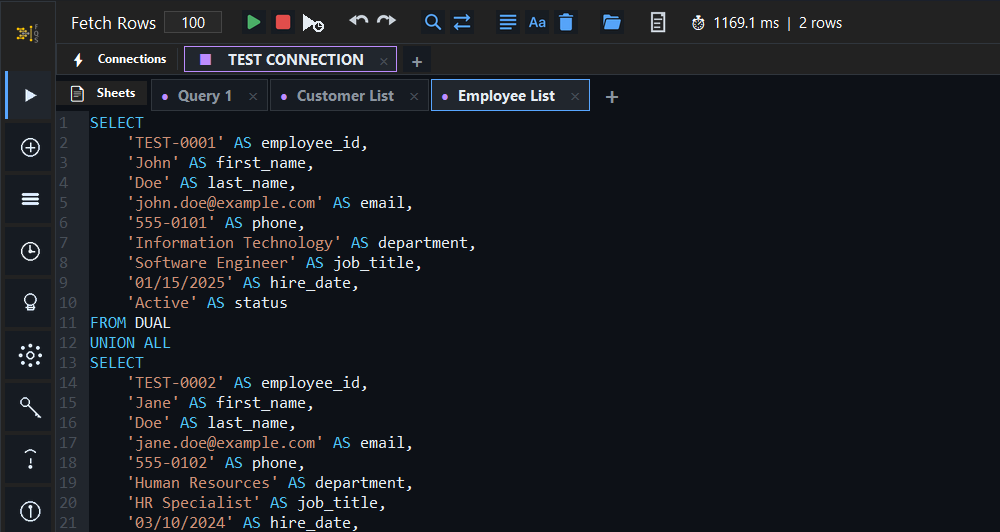
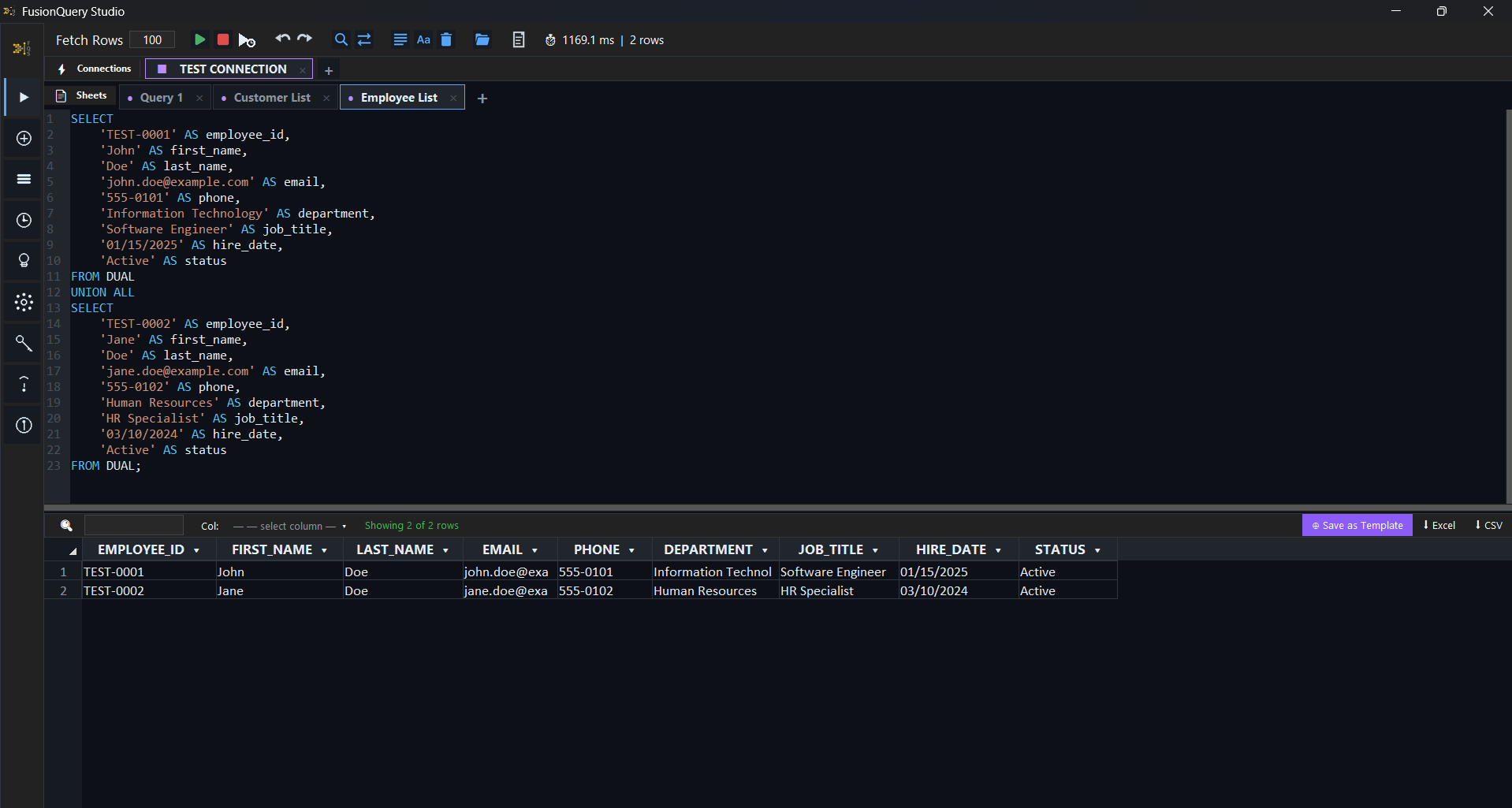
SQL Worksheet
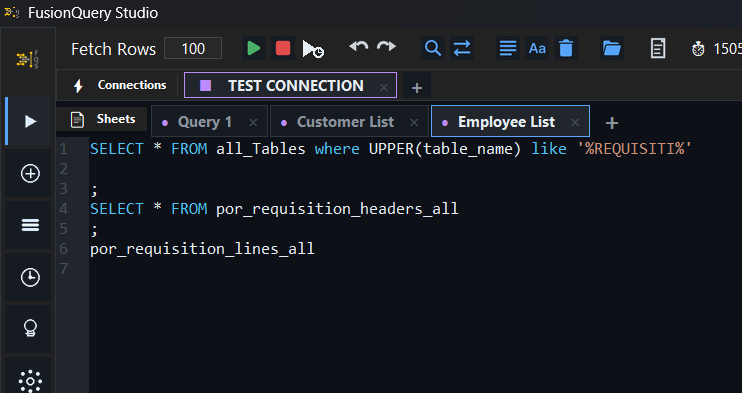
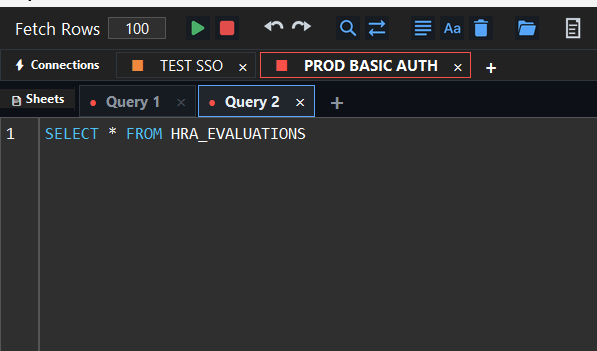
Multi-tab SQL editor with Oracle-aware syntax highlighting. Write, test, and run queries without switching tools.
SQL Client · BI Publisher · Oracle Fusion Cloud
Windows 10 / 11 · v2.0.0
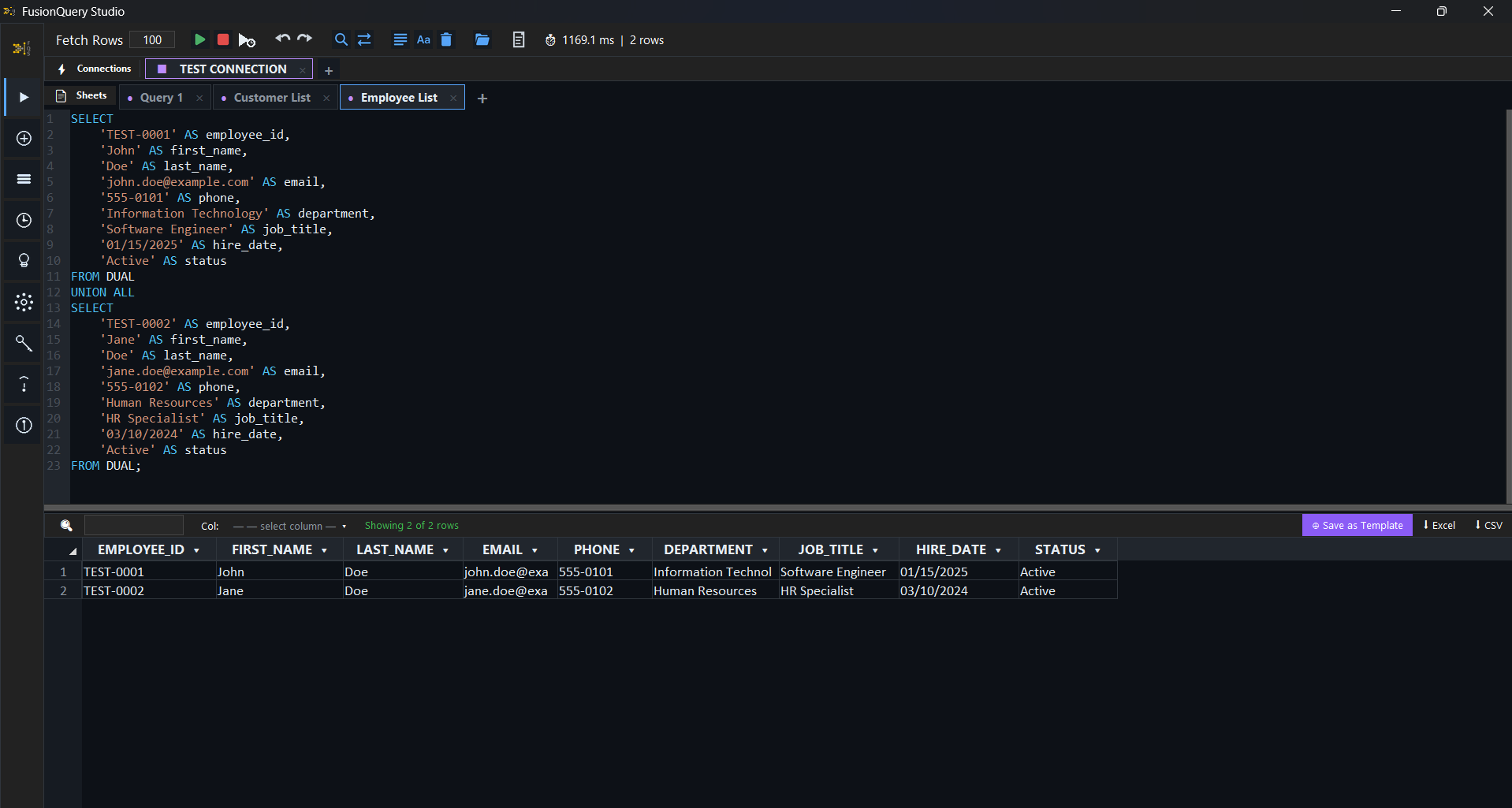
FusionQuery Studio is the fastest way to reach your Oracle Fusion Cloud data with SQL. Your connections, queries and results live in one lightweight desktop app, while your data always stays in your own environment.
Explore the app
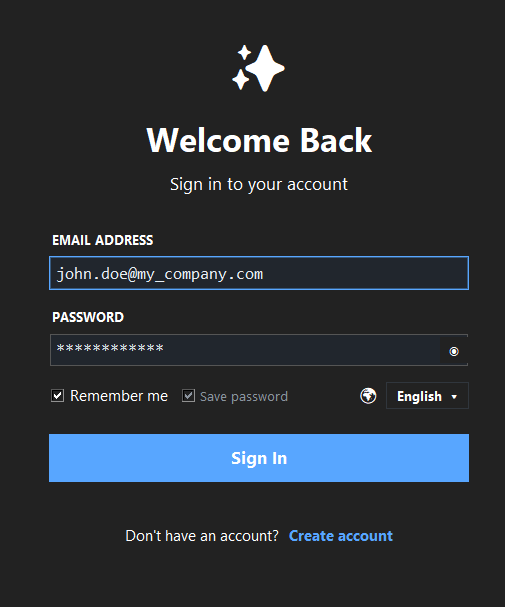
Stop wasting time entering the same credentials every time. Save your username and password securely on the Login screen and jump straight into your development environment every time you launch the app.
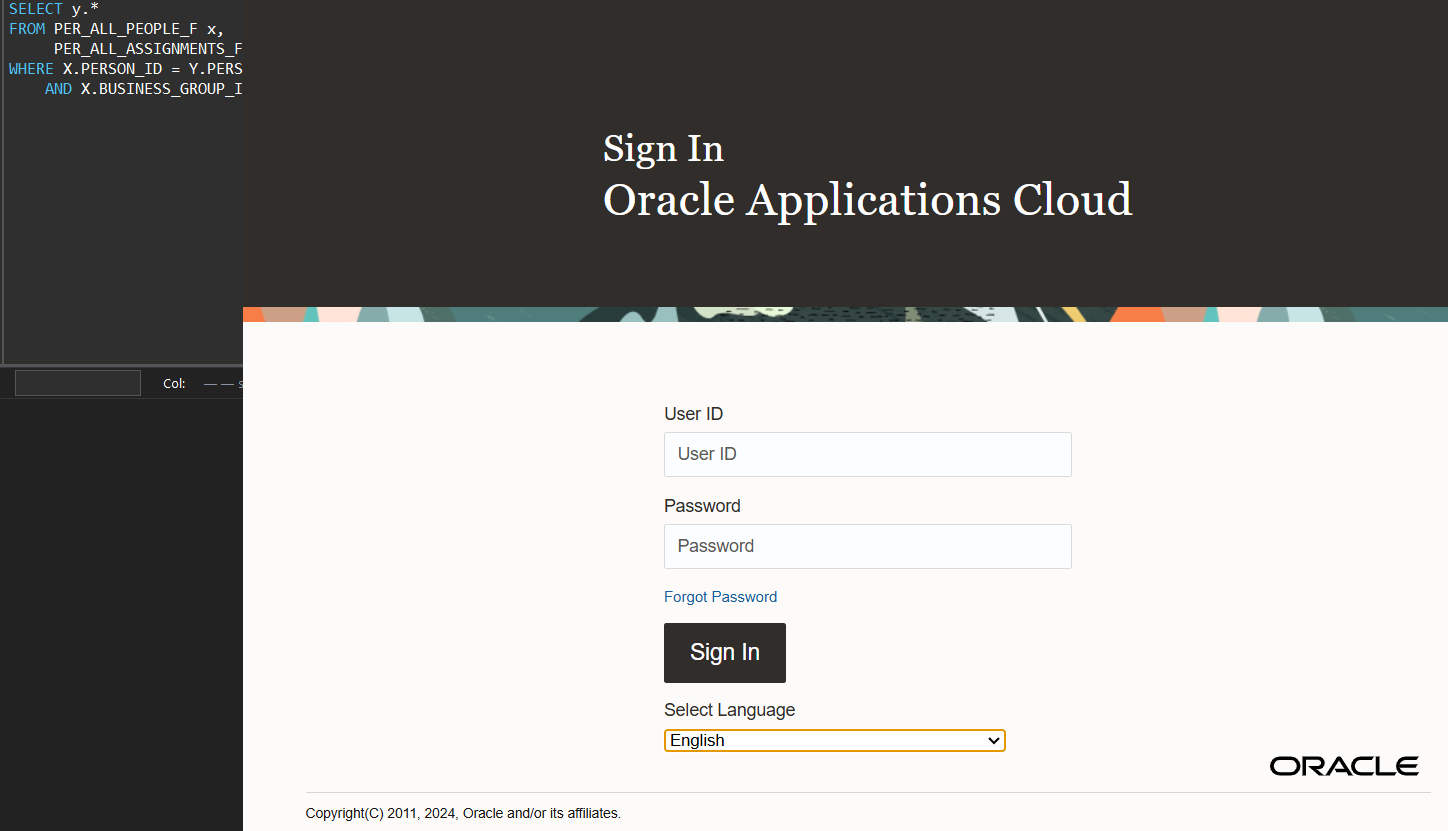
Even if your SSO session expires mid-work, the flow never breaks! The system detects the situation instantly and lets you renew your Fusion SSO login via Azure, Google, etc. through a convenient popup.
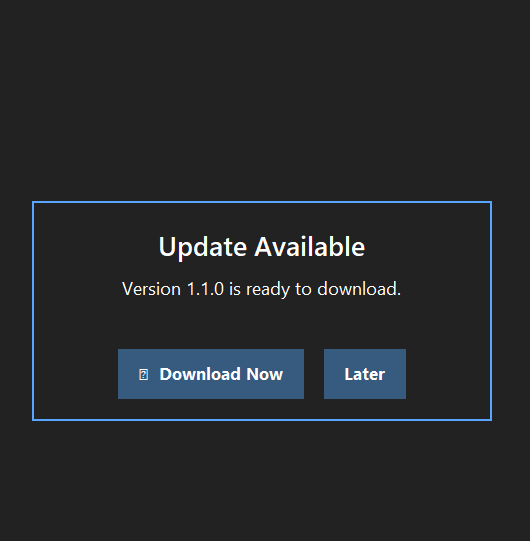
Always stay on the latest and most secure version! When a new update arrives, you can see the version notification on the login screen. If you are active inside the app, a non-intrusive notification keeps you informed.
No need to worry about unfinished work. Thanks to smart session management, all your last open connections and sheets load automatically when you log back in.
Work with multiple databases simultaneously without slowing down. Switch between different environments and sheets with a single touch, without losing context.
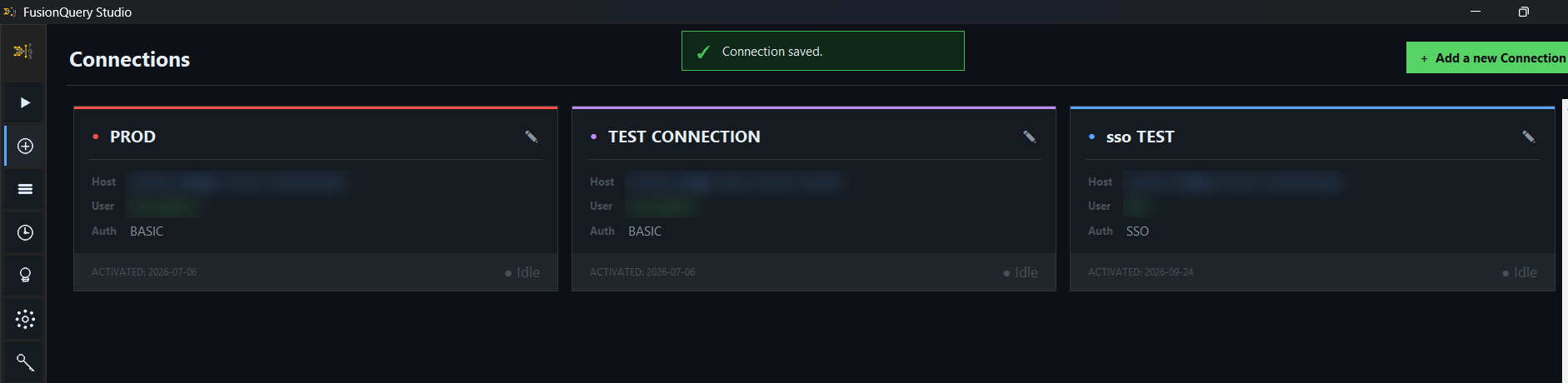
Working with multiple environments and databases has never been easier. View and instantly access your databases across different environments (Test, Dev, Prod) from a single hub.
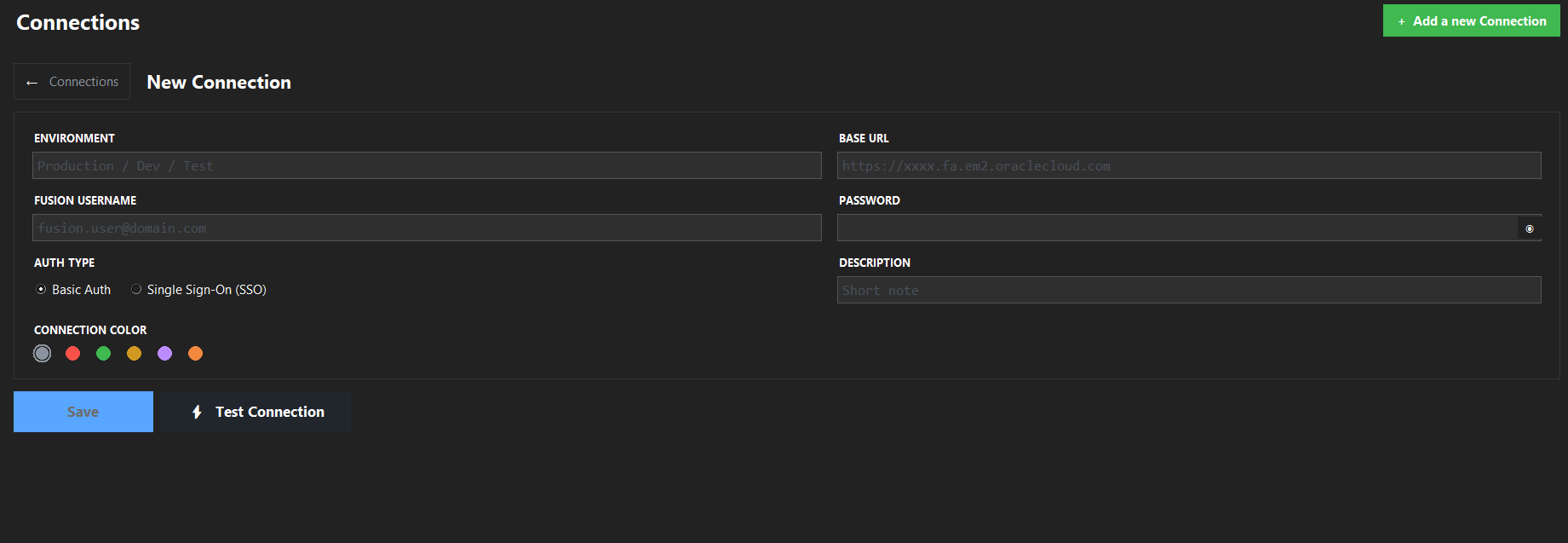
Connecting to your databases takes only seconds with SSO or Basic Auth support. The new connection screen handles any configuration seamlessly.
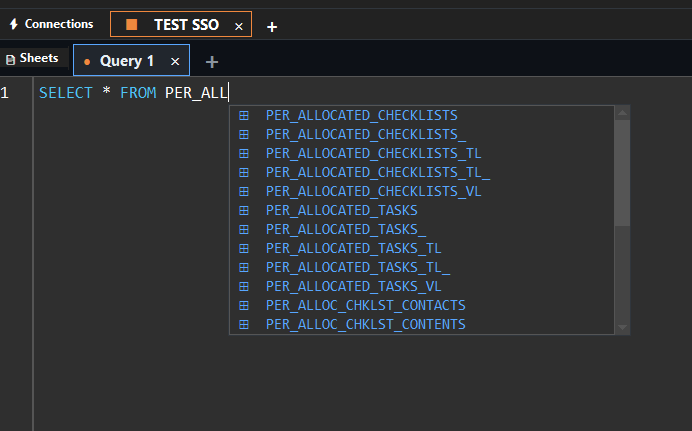
The advanced suggestion engine reads your mind as you type! Matching table and column names from your database schema are automatically listed as you start typing.
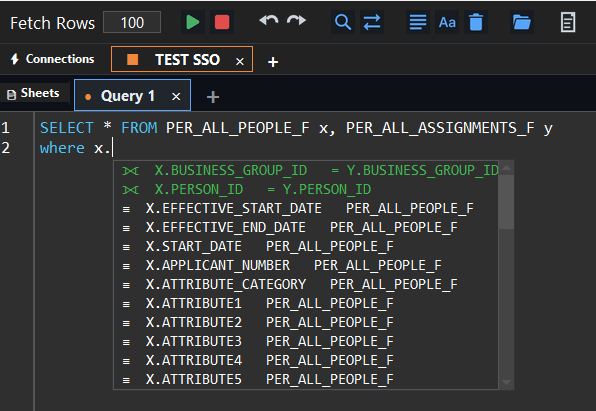
Build complex JOINs with zero errors. The system automatically analyzes which columns can be matched and highlights the best candidates in green.
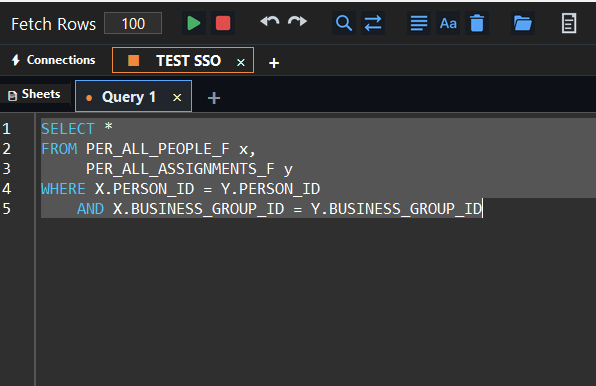
Transform pages of chaotic SQL code into clean, industry-standard, readable structure in seconds with a single keystroke.
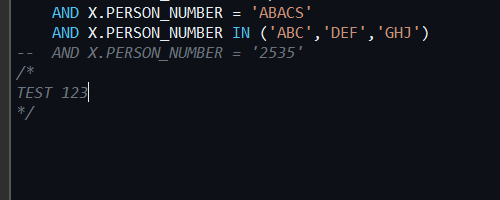
Colorful syntax highlighting and active bracket matching that turns writing code into an art form. Never get lost in complex nested queries again.
Writing hundreds of different SQL in the same window? The smart cursor detects which query you are on and runs only that one, even without semicolons.
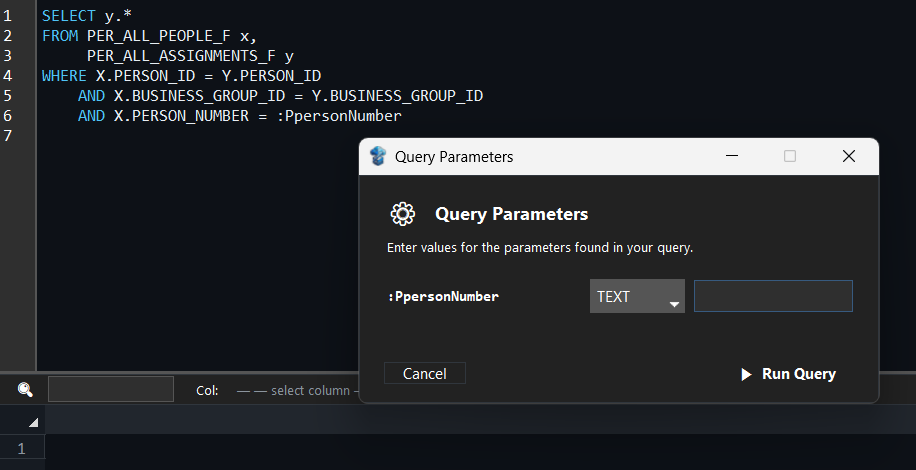
Define dynamic parameters with ':' (colon) in your queries. When you execute, the system opens a convenient popup asking for the values.
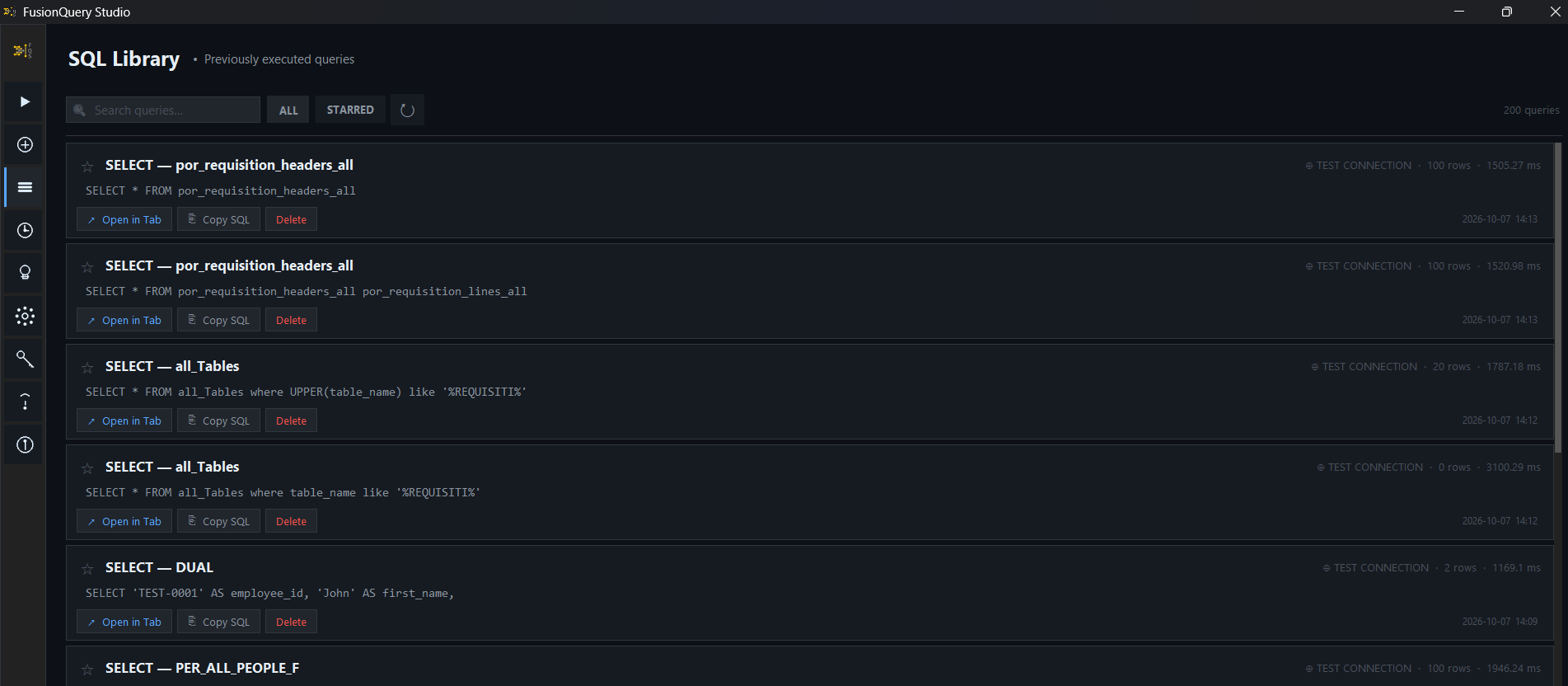
Never lose your complex queries again. Access all your past queries instantly and transfer them directly to the active editor with a single click.
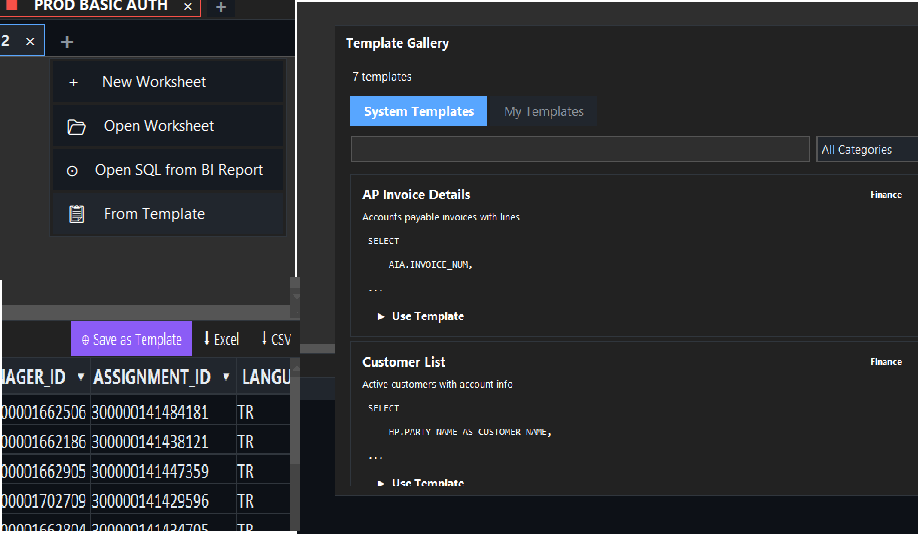
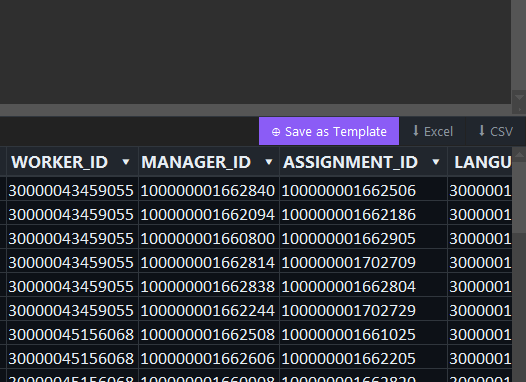
Browse public SQL templates on the platform and pull them into your editor, or save your own successful queries as reusable templates with one click.
Protect your API and memory performance by easily setting the number of rows to fetch, or remove limits to pull all records from the table.
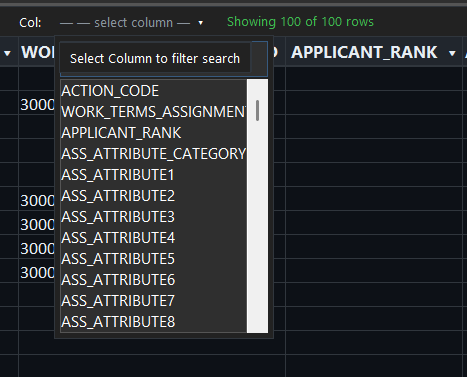
Stop getting lost in complex tables with hundreds of columns. Search for a specific column, click it, and the system auto-aligns and locks it to the left.
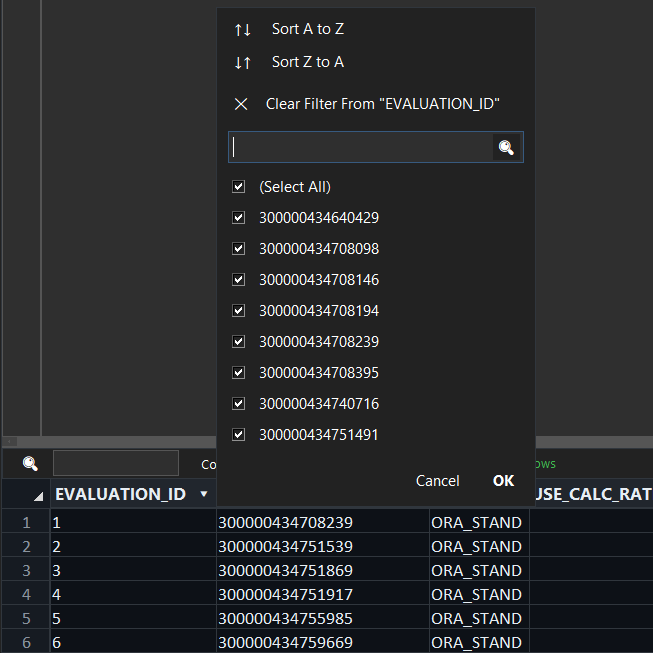
No need to write SQL again to examine results. Filter or sort columns in the result set, and use the integrated search box to find any keyword in seconds.
Effortlessly import your data from external and legacy systems into your database. Read, map, and quickly transfer your local Excel or CSV files into your tables.
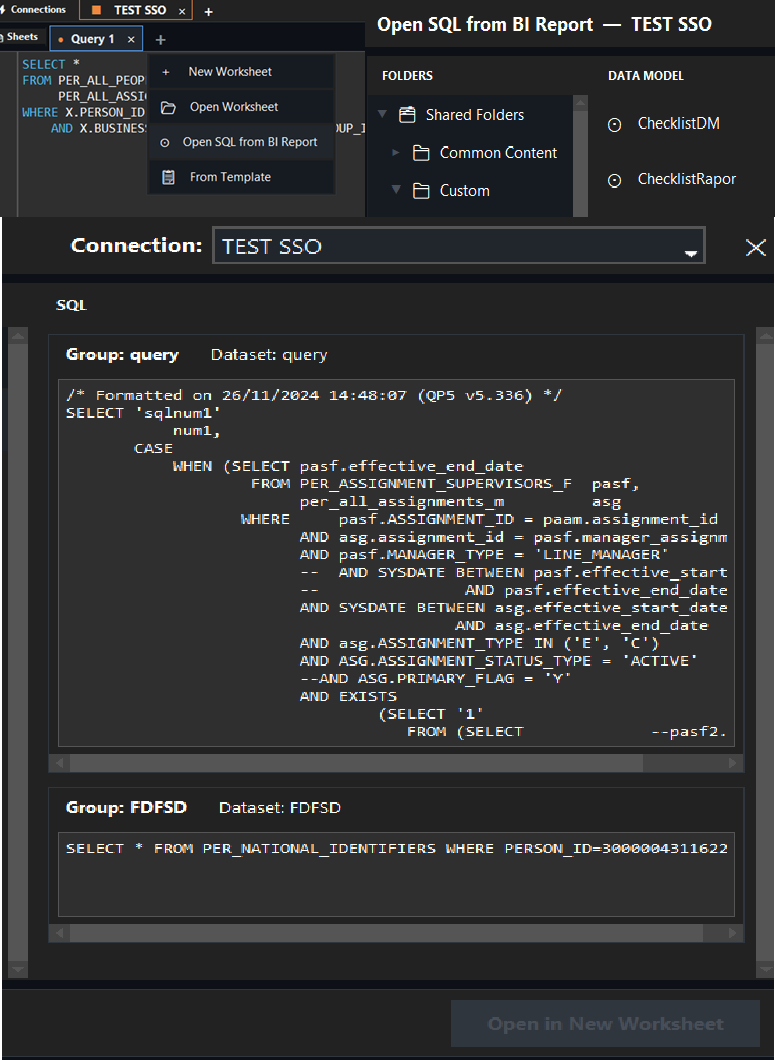
Integrate directly with your analytics world! Access Fusion OTBI folder structures and Data Models instantly, and pull needed queries into the editor.
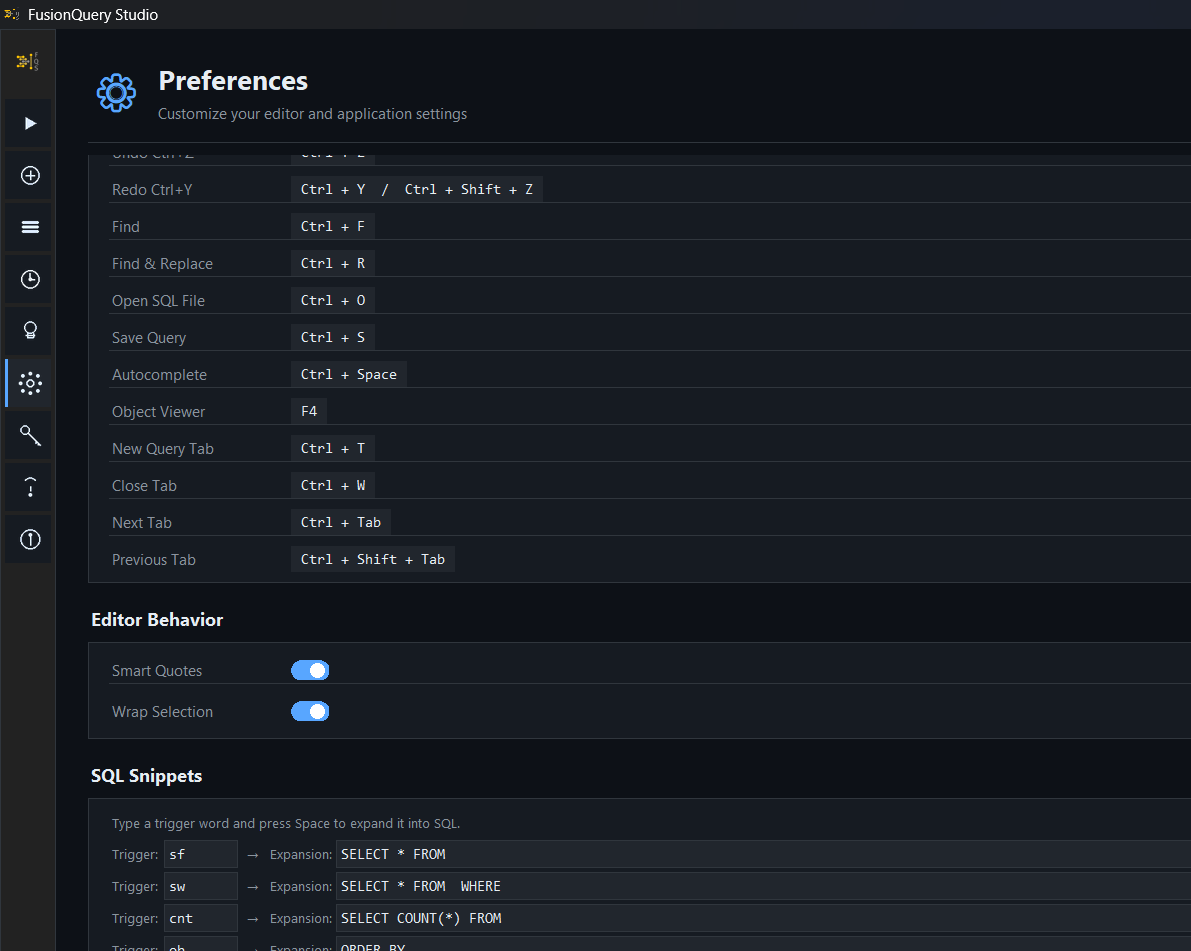
Your development environment, your rules! Customize themes, color schemes, and editor fonts from the advanced Preferences menu. Configure smart SQL Snippets as you wish.
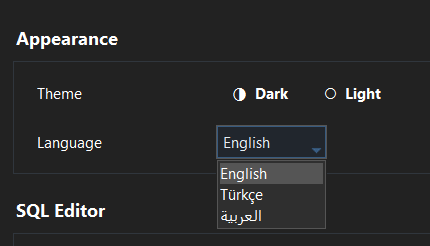
Designed for global teams. Use the application in your native language with fully localized interfaces (English, Arabic, Turkish, etc.).
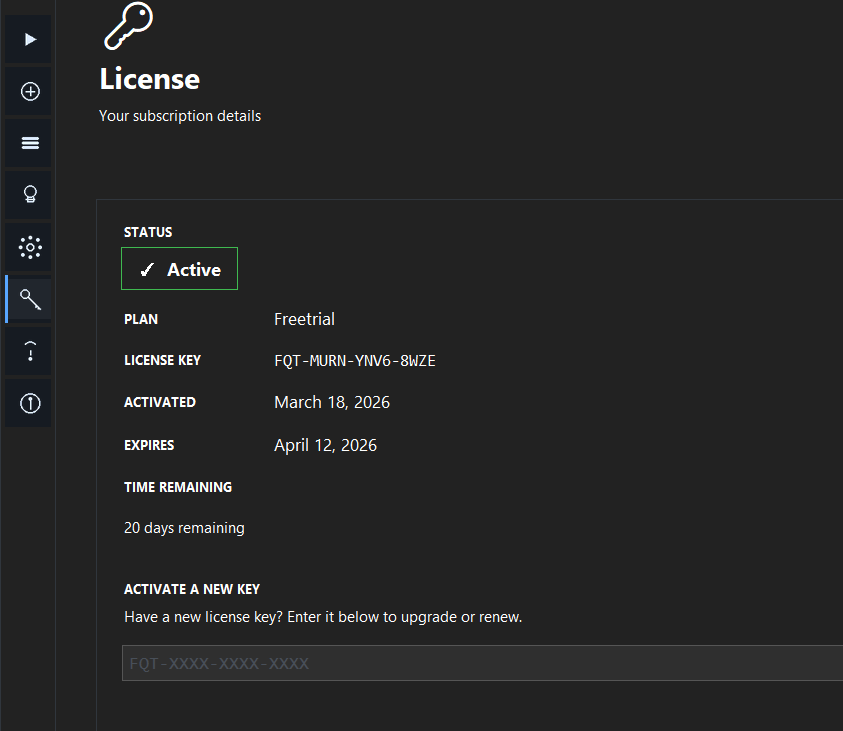
Track your license details, remaining time, and usage summary from a single screen with a seamless interface.
Every feature is crafted to remove friction from your daily Oracle Fusion SQL workflow.
Multi-tab SQL editor with Oracle-aware syntax highlighting. Write, test, and run queries without switching tools.
Save multiple Oracle Fusion connections securely. Switch between environments (dev / test / prod) in one click.
Store frequently used queries in a personal library. Retrieve and reuse them without retyping.
Connect directly to your OTBI environment and browse folders instantly.
Flexible monthly or annual licensing. Activate, renew, or upgrade your key directly inside the app.
Your data stays where it belongs. The app connects directly to your Oracle Fusion environment.
Coming soon
FusionQuery Studio keeps evolving. Here are some of the things we're working on:
Describe what you need and let AI write the query, explain errors and improve your SQL.
Reach your queries and results from your iPhone and iPad too.
Share your query library and templates securely with your team.
New reporting and data sources, deeper BI Publisher support.
Pricing
Choose the right plan for your Oracle Fusion needs.
For quick checks and basic web queries.
Best value for professional developers.
Save with annual billing — 2 months free.
For teams and organizations.
| Feature | Free | Pro | Pro Annual |
|---|---|---|---|
| Desktop trial | 21 days | ✓ unlimited | ✓ unlimited |
| Connections | 1 | Unlimited | Unlimited |
| Support | Community | Priority |
Everything you need to know about FusionQuery Studio.
Didn't find the answer you were looking for?
Open a support request →
FusionQuery Studio is a lightweight Windows desktop application that lets Oracle Fusion developers write, test, and execute SQL queries directly against their Oracle Fusion Cloud database — without needing to export BI reports or use cumbersome web interfaces.
The app can be installed via the provided Windows installer (.exe). The installation is straightforward and creates desktop + Start Menu shortcuts. No server configuration is needed.
Your SQL queries and results never leave your machine or your organization's network. The app connects directly to your Oracle Fusion environment. The only external connection is to our secure servers for account authentication and license validation.
Any module whose data is accessible via Oracle Fusion's OTBI/BI subject areas and standard database views is supported — including HCM, SCM, Financials, and Procurement.
After purchasing, you receive a license key in the format FQT-XXXX-XXXX-XXXX. Enter it in the License section of the app to activate your subscription. You can renew or upgrade at any time.
Yes! Download the app and use the 21-day free trial. No credit card required. All features are available during the trial period.

Download FusionQuery Studio and run your first query in minutes. Zero configuration. Full feature access during trial.
21-Day Free Trial — No Credit Card Required · v2.0.0 · 134.4 MB
FusionQuery Studio is a desktop application. Visit this page on your computer to download.
Write to us about corporate licensing, bulk device management and pricing.